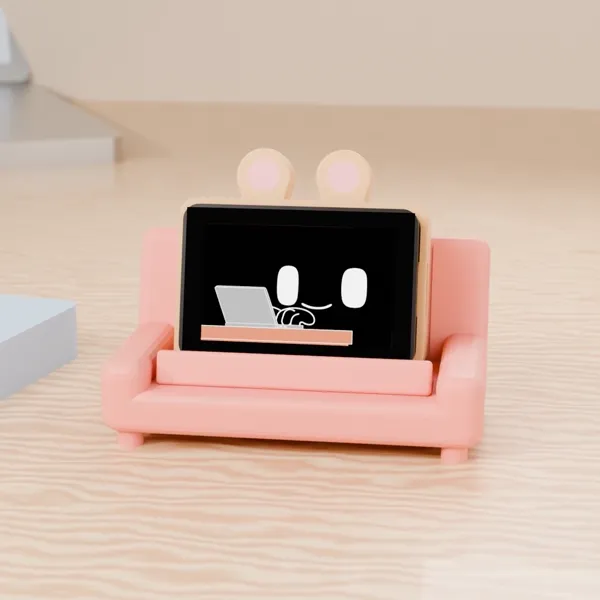
The short answer
Pebble reacts to a tap on the middle of its face with a happy animation. Press and hold for heart eyes, lift it after resting for a surprised face, or gently move it to wake it from a nap. These reactions work without the optional desktop app. Pebble responds to touch and movement; it does not see, hear or recognise your emotions.
What does ‘reacts to touch’ mean?
The touch claim refers to a physical interaction with the Pebble digital keychain, not a phone app or a custom photo figurine. Tap the middle of the face once, then let the animation finish. Happy responses include a laugh, blush, wow and thumbs-up; the exact face can vary between taps.
Pressing and holding produces the heart-eyes response. Use a light touch rather than pressing hard. Rapid repeated taps can appear to do nothing while the current animation is still playing.
Pick-up, movement and wake-up reactions
Lift Pebble after it has been resting to see a surprised face. A gentle shake can trigger a grumpy expression. Do not shake it hard or drop it to try to provoke a reaction.
After 30 quiet minutes, Pebble naps. Touch it or move it gently to wake it with a sleepy yawn. A sleepy face is normal behaviour, not necessarily a flat battery.
Water reminders and desk breaks
On its own, Pebble displays a water reminder every hour and a break reminder every 50 minutes. The glass-of-water and cup-of-tea animations are timed prompts, not measurements of how much you drank or how long you worked.
After two hours without touch or movement, reminders pause until you return. A napping Pebble can wake for a reminder, then doze off again. Treat the prompts as a friendly nudge, not medical advice or a guarantee of better productivity.
Does Pebble need an app to react?
No. Its own touch reactions, movement reactions, reminders and naps work without the optional Taby desktop app. The app is a separate product made by TRIIIS LABS.
When that app controls the physical Pebble through USB, Pebble’s own reactions pause. They return about two minutes after the app stops controlling it. Features advertised for the desktop app should not be assumed to be standalone features of the keychain.
Why is Pebble not responding to taps?
First, wait for the current expression to finish and tap the middle of the face. If it is napping, touch or lift it gently. If the optional desktop app is controlling it, close the app and allow about two minutes for standalone reactions to return.
For a dark screen, connect USB-C and press RST. The wired version needs to stay connected to power; the battery version must be charged. Use a steady surface if movement reactions seem to trigger unexpectedly. If these checks do not help, contact PrintMyMoment rather than opening the case.
Product notes & further help
These tips describe the Pebble sold by PrintMyMoment and its standalone behaviour, as documented in our owner’s guide. They do not describe every feature of the optional desktop app.
Unofficial fan-made case, not affiliated with or endorsed by TRIIIS LABS. The Taby character, face and animations are © TRIIIS LABS, used under the Taby Artwork Terms. Runs the open-source Taby firmware (Apache-2.0). The optional Taby app is made by TRIIIS LABS.
printmymoment.store@gmail.comRead next
Digital Keychain & Desktop Buddy Care: Charging, Cleaning & Everyday Use